If you’re comparing Lemlist vs Smartlead, you’re close to picking a tool and want to avoid paying for the wrong one.
I’ve used both in live campaigns. They don’t behave the same once you send every day.
Some differences only show up after a few weeks.
Deliverability, reply rate, and cost change as volume goes up.
This guide compares Lemlist vs Smartlead on five things that actually affect results, features, pricing, deliverability, personalization, and lead data.
By the end, you’ll know which one to pay for and which one to skip.
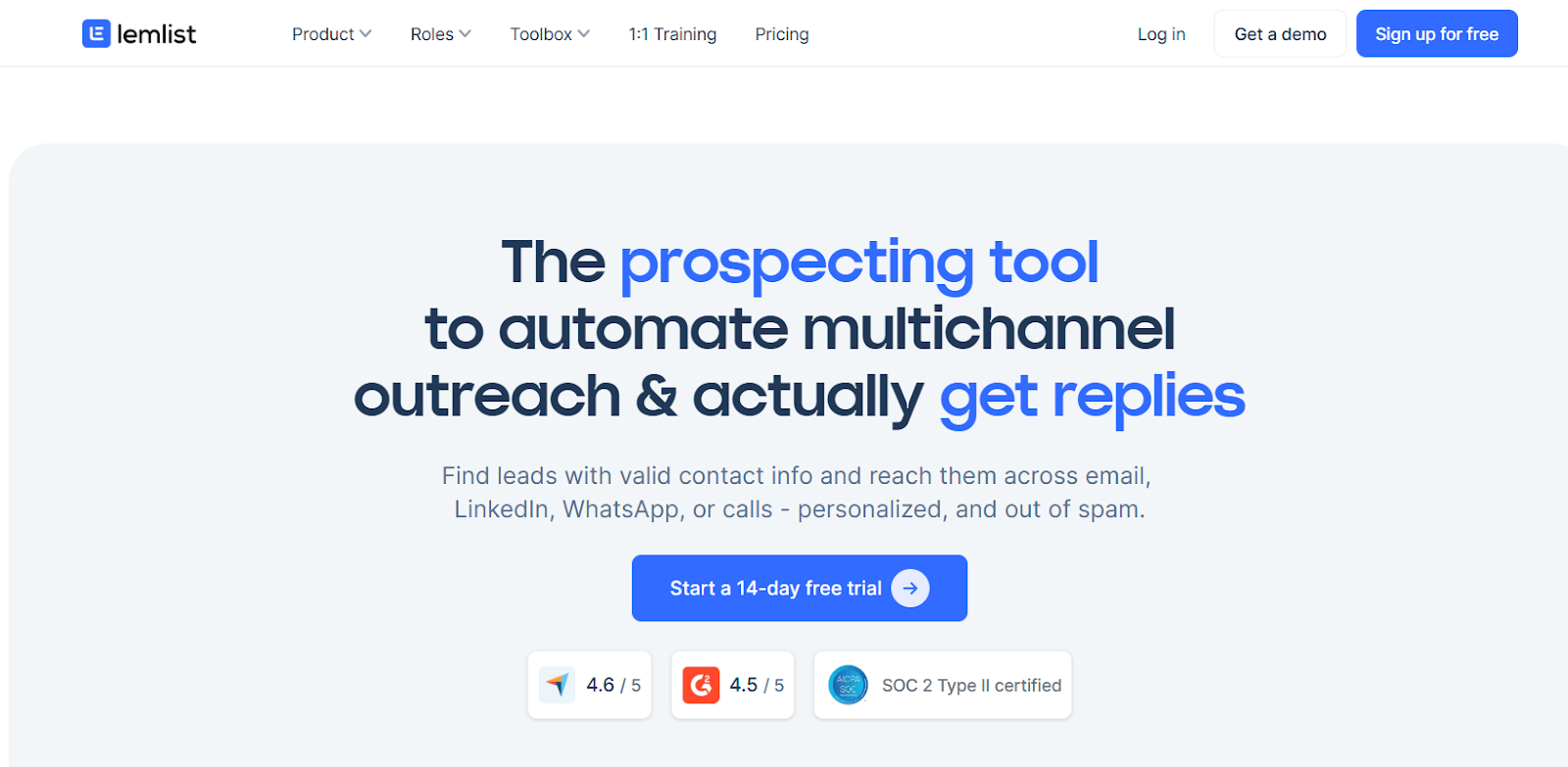
Lemlist is a sales outreach tool built for multichannel prospecting. You can reach leads by email, LinkedIn, WhatsApp, and calls from one place.
It includes a 600M+ lead database with built-in enrichment, so you can find leads and get verified emails and phone numbers inside the same tool.
Lemlist focuses on personalization. It uses AI to pull details from LinkedIn and websites, so messages change for each lead.
It also includes lemwarm for inbox warm-up and deliverability.
This helps emails stay out of spam when you start sending.
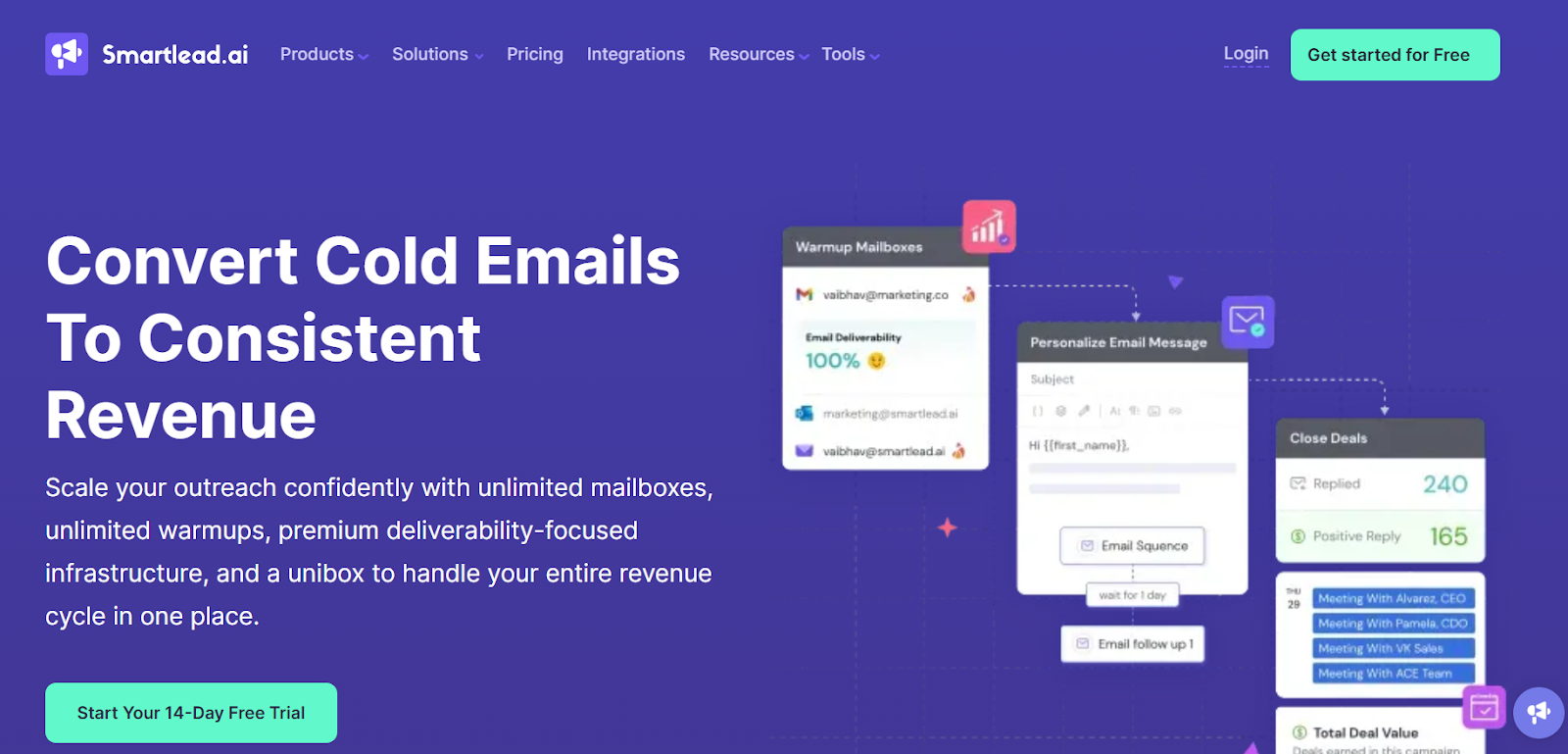
Smartlead is a cold email tool made for teams that send at scale.
If you plan to run many campaigns with many mailboxes, Smartlead is built for that use case.
You can connect unlimited email accounts and rotate them automatically. This helps you send more emails without hurting sender reputation.
It puts a strong focus on deliverability. Smartlead includes AI warm-up, inbox placement tests, and bounce protection to help emails land in the inbox.
All replies come into one inbox. So instead of checking many mailboxes, you manage every reply from one place.
Now let’s break down the 5 key differences between Lemlist and Smartlead that actually impact results and costs.
When choosing between Lemlist and Smartlead, the first difference shows up in how campaigns actually run day to day.
The tools may look similar at a glance, but the way you manage follow-ups and replies feels very different once campaigns go live.
Lemlist lets you mix channels inside one sequence.
One flow can move between email, LinkedIn steps, WhatsApp messages, calls, and manual tasks.
This makes it easier to change the next step when one channel slows down and another needs attention.
Smartlead keeps the workflow centered on email.
Email campaigns run natively inside Smartlead with inbox rotation, warm-up, and deliverability controls.
LinkedIn steps are added through native integrations with tools like HeyReach and Aimfox, coordinated using SmartAgents.
Most replies still come through email, while other channels support follow-ups when needed.
Here’s a simpler way to understand the difference:
Key takeaway:
Pricing often becomes the deciding factor when choosing a tool for long-term use. Here’s the difference between Lemlist and Smartlead pricing.
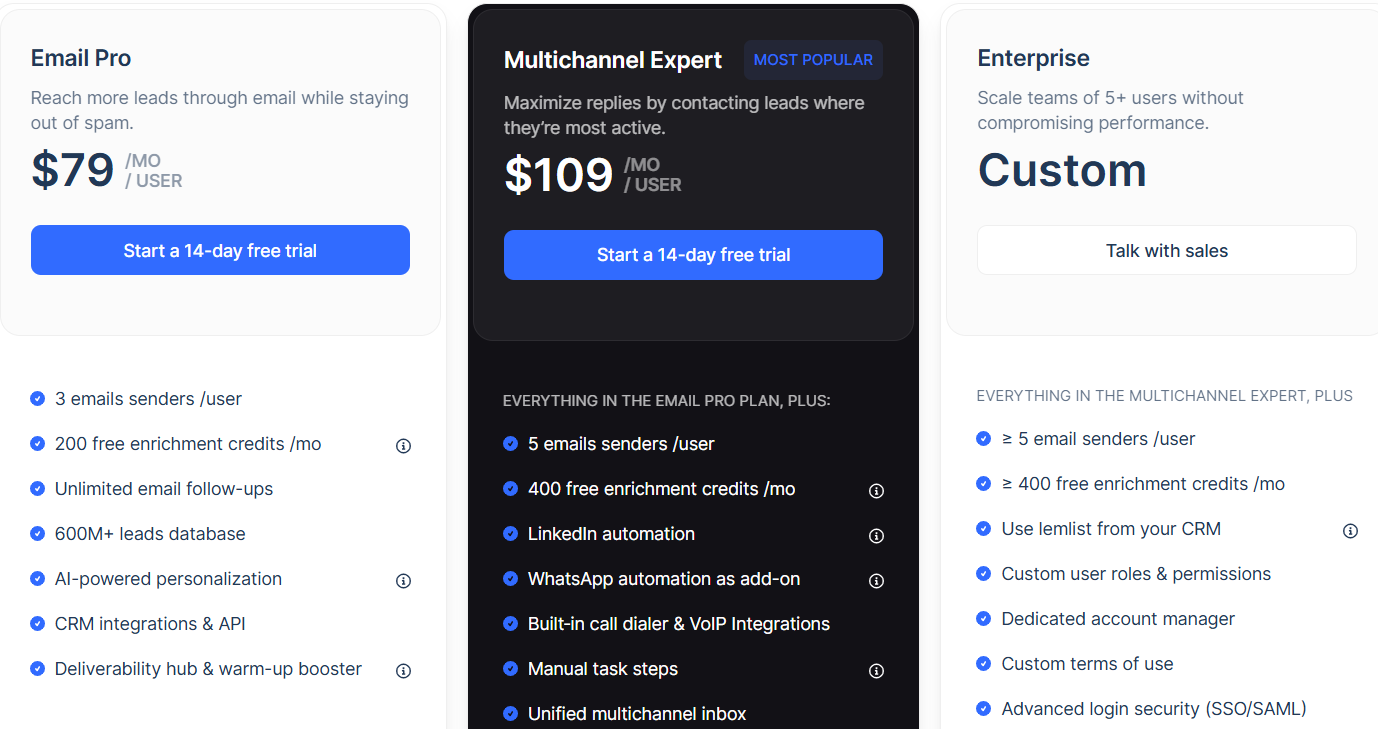
Lemlist charges per user. Each person on your team needs a paid seat.
The main plans start from:
As you add more teammates, your monthly bill goes up. Extra senders, domains, WhatsApp, calling, and deliverability add-ons further increase the cost.
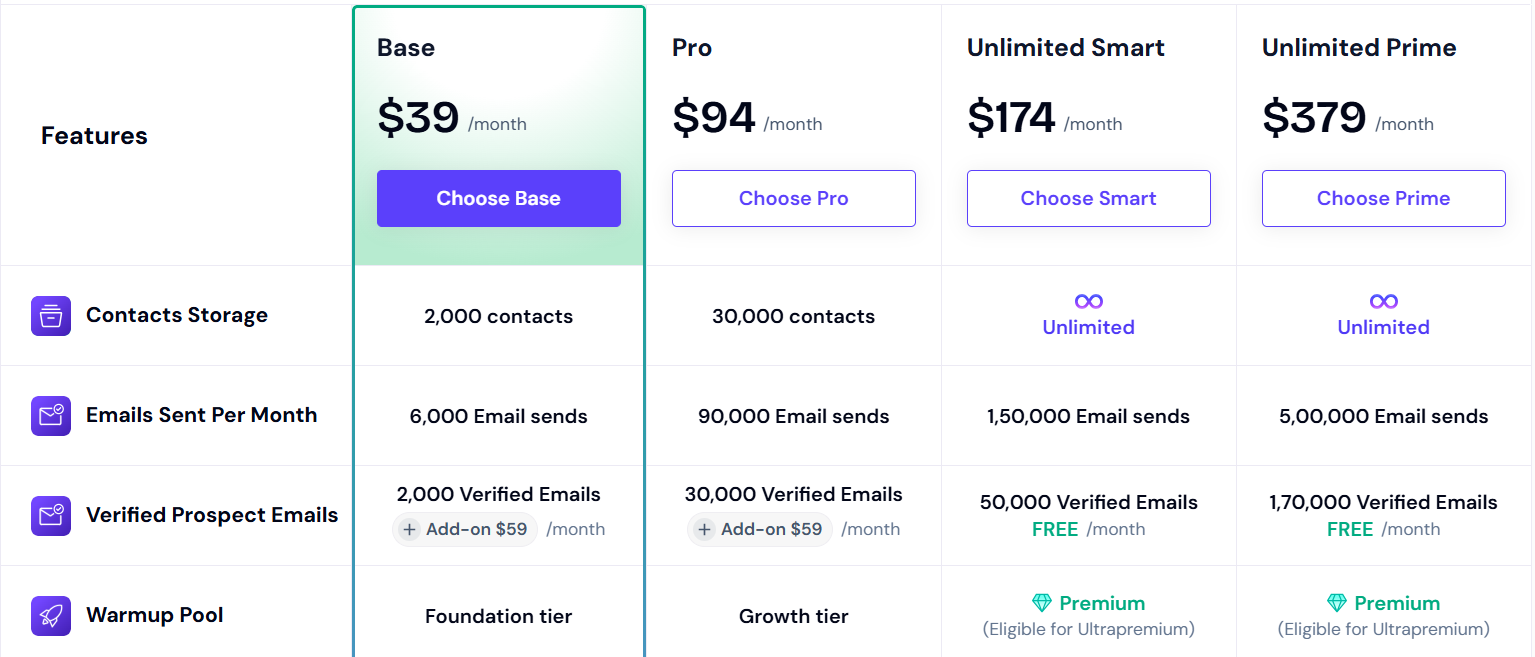
Smartlead uses a flat workspace model. You pay for volume and features, not per seat.
Smartlead plans start from:
Seats are not priced per user. You can add teammates without paying extra for each person.
Cost mainly grows when you move to higher sending and lead limits.
Here’s a quick look at the pricing difference:
Inbox placement decides everything. When emails stop reaching the inbox, replies drop fast.
So the way a tool helps you protect deliverability really matters.
If you want to spot problems early, Lemlist gives you one place to watch what’s going on.
Its Deliverability Hub shows delivery, bounces, inbox vs spam, and warm-up health in one view.
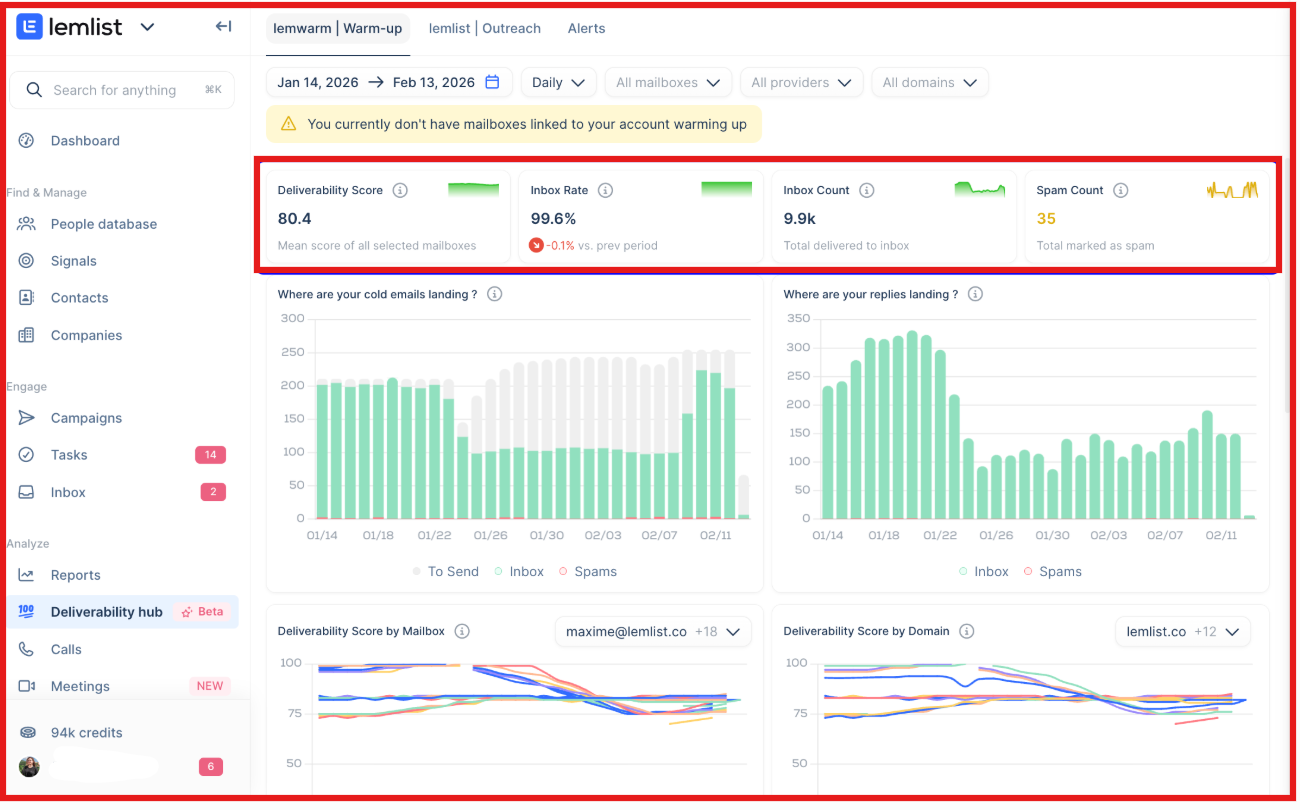
You can set alerts, so small issues show up before they hurt results.
Lemwarm keeps inboxes active with warm-up, and features like provider matching and DNS checks help reduce spam risk.
But if you want to test inbox placement before pushing volume, Smartlead focuses more on testing and setup health.
SmartDelivery shows where emails land across providers and points out spam risk, IP health, and domain issues.
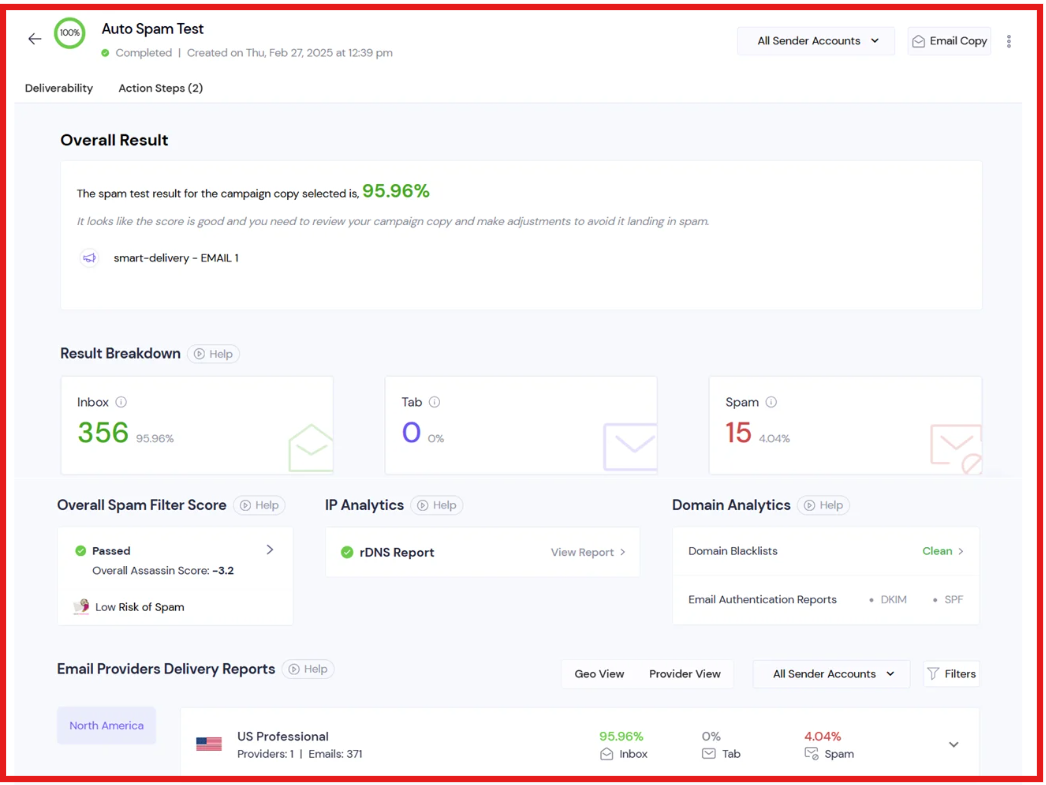
Warm-up runs in a controlled pool, and weak mailboxes get paused to protect sender reputation.
So the difference comes down to how you like to stay in control:
Both help with deliverability. The better choice depends on how you prefer to watch and protect inbox placement.
Personalization changes how real an email feels. Lemlist and Smartlead handle this in different ways.
Lemlist lets you change how emails look and read. You can add custom text, images, logos, website screenshots, GIFs, videos, and attachments.
You can also add short personal openers using icebreakers and AI. This makes each email look more hand-written and unique to the lead.
Smartlead changes how emails are sent and written over time. You can add names, day of the week, time of day, and suggested dates inside emails.
AI can adjust subject lines and follow-ups based on opens and replies. This keeps messages personal while still sending at higher volume.
Before running any outreach campaign, you first need a steady way to find new leads.
Lemlist includes a built-in B2B people database to help you find new leads inside the tool.
You can search for people using filters like job title, company, location, and seniority.
Once you find the right profiles, you can move them into campaigns without leaving the platform.
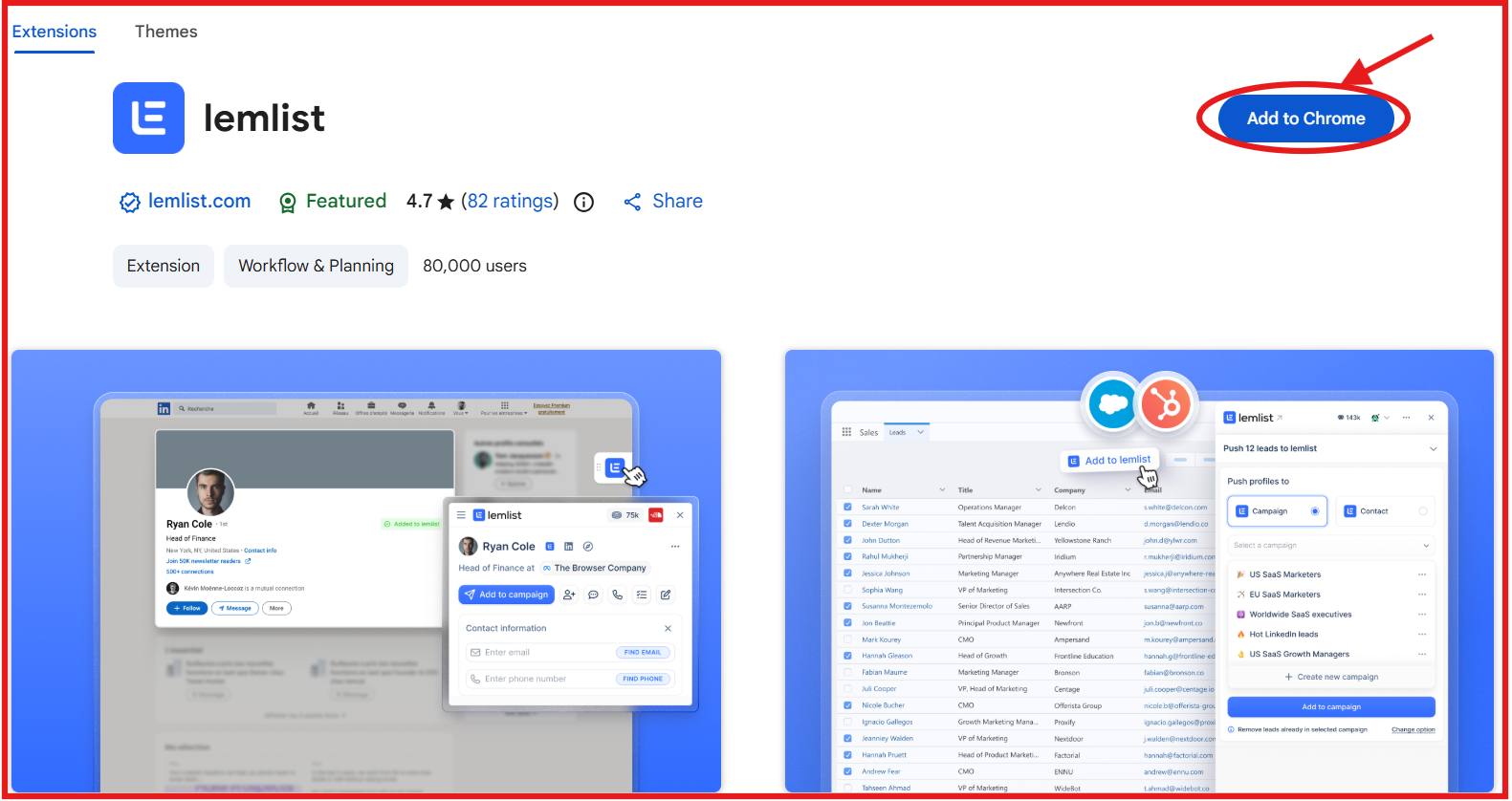
On top of that, the Chrome extension makes it easier to pull lead data from LinkedIn into your lists.
When contact details are missing, enrichment options help add emails or phone numbers using credits.
This keeps the full flow, from finding leads to sending campaigns, in one place.
With Smartlead, the process begins outside the platform, as it does not include a native lead database inside the platform.
You first collect leads from other tools or sources. After that, you upload those lists into Smartlead to start sending campaigns.
Here’s a quick look at their lead data differences:
When choosing between Lemlist and Smartlead, the right pick depends on how you run outreach.
Lemlist fits teams that want lead sourcing, multichannel steps, and strong personalization in one tool.
Smartlead fits teams that rely mainly on cold email and care most about inbox health at scale.
Both tools work well for outbound.
The better choice comes down to whether you need multichannel workflows or high-volume cold email with strong deliverability control.
Both Smartlead and lemlist work well for sending cold emails.
But as your outreach grows, small gaps start to slow you down. This is where teams often feel the limits.
Here’s what can start to feel missing:
If your goal is simple email outreach, these limits may not matter much. But if you want to run full outbound at scale, they start to show.
This is where Salesforge can help fill those gaps:
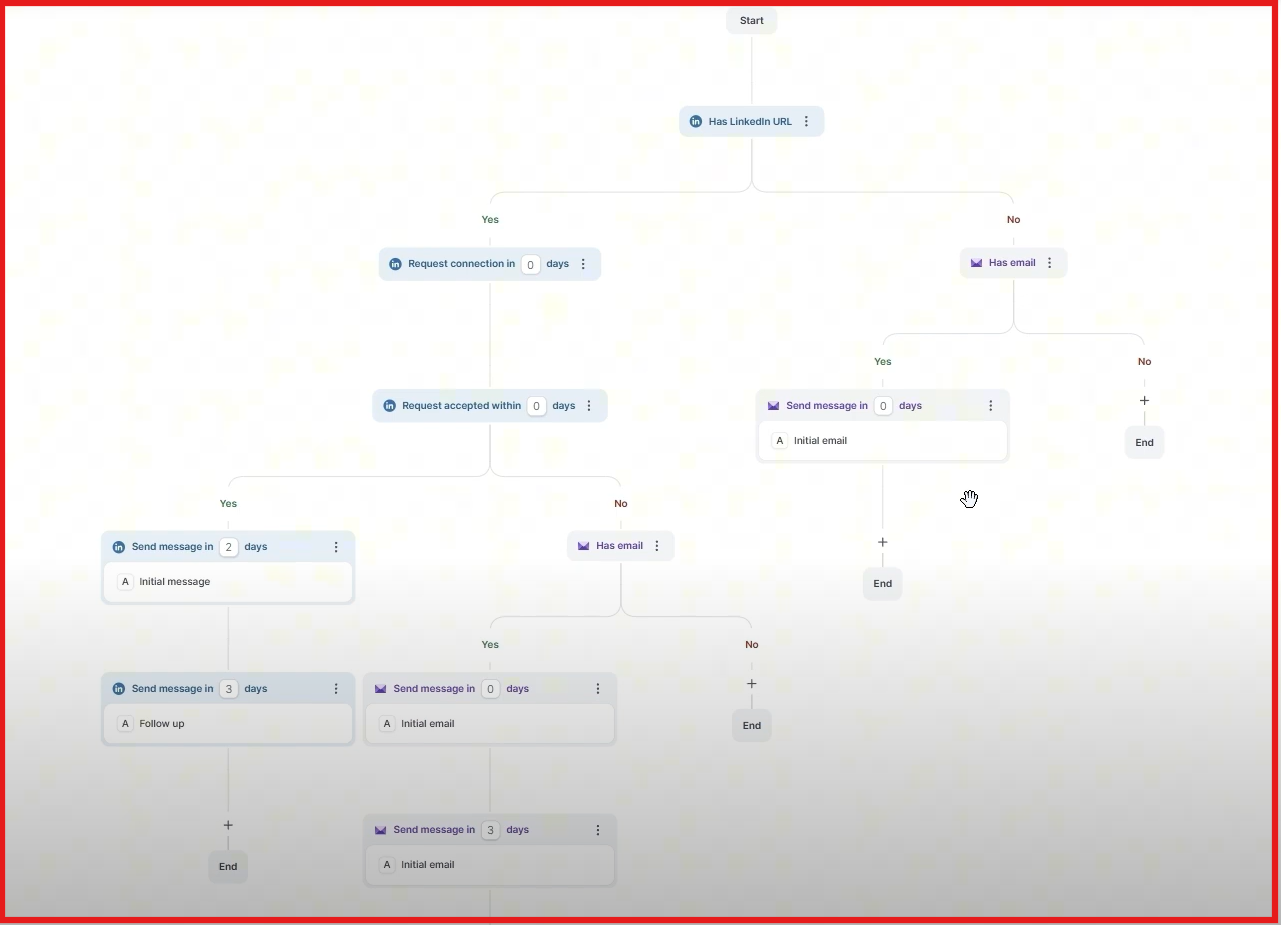
If you feel blocked by limits as you scale outreach, Salesforge is worth a look.
Start your 14-day free trial with Salesforge!
.jpg)

.jpg)

.jpg)

